Section
Lesson
Lesson
Lesson
Lesson
Lesson
Section
Lesson
Lesson
Lesson
Lesson
Lesson
Section 1
Lesson 1
Lesson 2
Lesson 3
Lesson 4
Lesson 5
Lesson 6
Lesson 7
Lesson 8
Lesson 9
Lesson 10 Lesson 11 Lesson 12
Lesson 13
Lesson 14
Lesson 15
Lesson 16
Section 3
Lesson 17
Lesson 18
Lesson 19
Lesson 20
Lesson 21
Lesson 22
Lesson 23
Lesson 24
Section 3
Lesson 25
Lesson 26
Lesson 27
Lesson 28
Lesson 29
Lesson 30
Lesson 31
Lesson 32
Lesson 33
Lesson 34
Lesson 35
Section 4
Lesson 36
Lesson 37
Lesson 38
Lesson 39
Chapter 1 is currently under production.
Chapters 2 and 3 are ready.
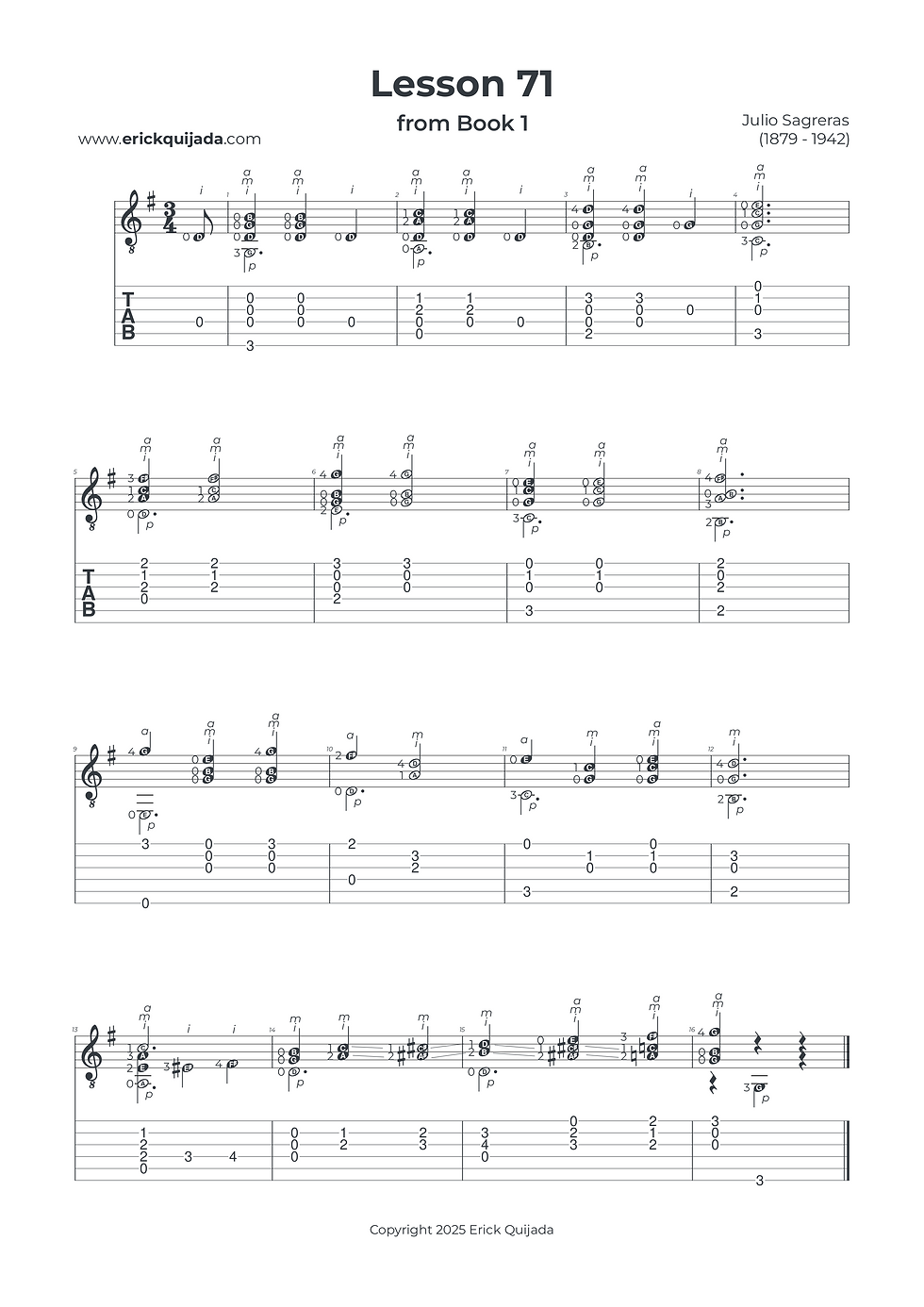
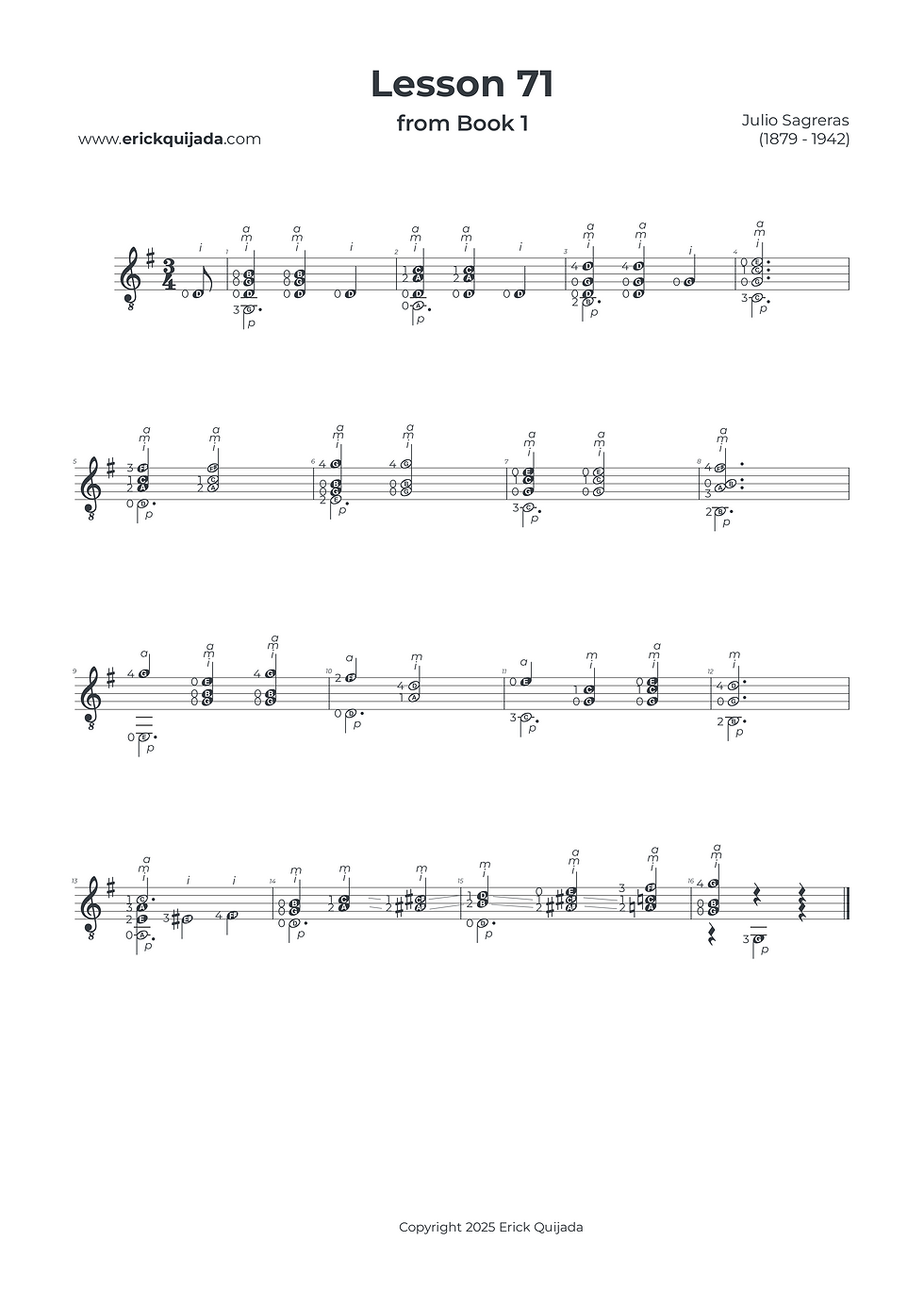
Lesson 71 | The Overture & Lyrical Homophony
Master the emotional shift from a four-voice chorale introduction to a dramatic, melodic conclusion while refining your vertical balance.

Studio Insights
The A-B Narrative Blueprint
This lesson is structured as a story in two parts. Section A acts as a formal overture—a four-voice chorale texture that sets the stage. Section B shifts into a "touchy," homophonic style, where a catchy, sad melody takes the lead. To achieve a masterful performance, focus on this emotional transition, allowing the "drama" of the conclusion to resolve with intentional clarity.
Vertical Voicing Strategy
In both the plaqué sections and the homophonic melody, the highest note of every sonority is your "Lead Singer." To ensure this melody isn't buried by the accompaniment, you must develop melodic awareness. Practice giving more "weight" and volume to whichever right-hand finger (usually the ring finger, a) is plucking the top note.
Double-Guide Structural Shifts
While most of the piece uses one position per measure, the final three measures require more active navigation. In the transition through measures 14 and 15, utilize double-guiding fingers (fingers 1 and 2). By maintaining string contact during these shifts, you engineer a seamless bridge to the finale, preserving the rhythmic momentum and harmonic resonance.
The Play along
I've found that at the begining of the learning journey it can be very helpful to have a recording to follow along. Remember that you can easily change YouTube video playback speed on any device by clicking the settings gear icon, selecting Playback speed, and choosing a different speed from the menu, or even setting a custom speed.