Section
Lesson
Lesson
Lesson
Lesson
Lesson
Section
Lesson
Lesson
Lesson
Lesson
Lesson
Section 1
Lesson 1
Lesson 2
Lesson 3
Lesson 4
Lesson 5
Lesson 6
Lesson 7
Lesson 8
Lesson 9
Lesson 10 Lesson 11 Lesson 12
Lesson 13
Lesson 14
Lesson 15
Lesson 16
Section 3
Lesson 17
Lesson 18
Lesson 19
Lesson 20
Lesson 21
Lesson 22
Lesson 23
Lesson 24
Section 3
Lesson 25
Lesson 26
Lesson 27
Lesson 28
Lesson 29
Lesson 30
Lesson 31
Lesson 32
Lesson 33
Lesson 34
Lesson 35
Section 4
Lesson 36
Lesson 37
Lesson 38
Lesson 39
Chapter 1 is currently under production.
Chapters 2 and 3 are ready.
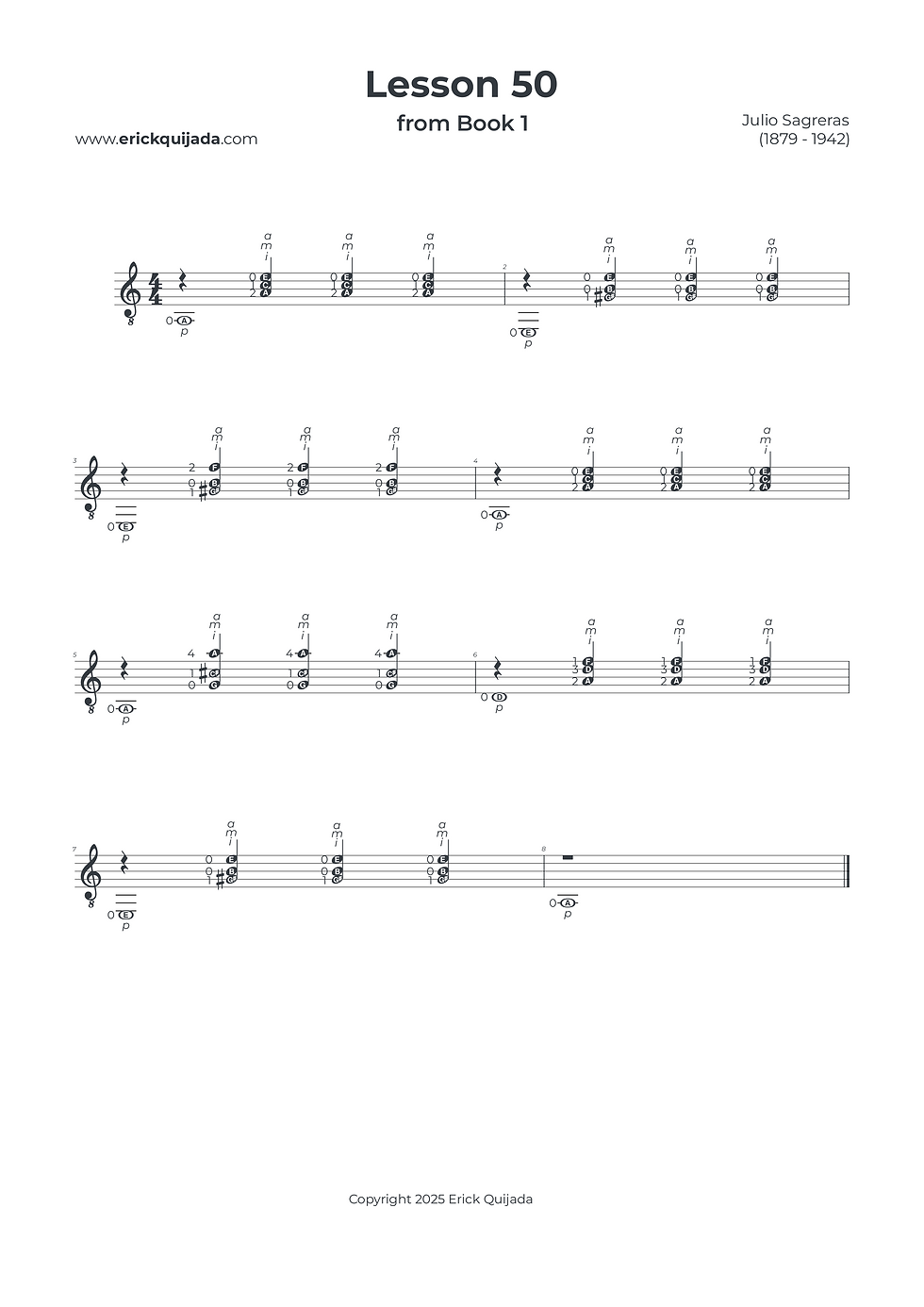
Lesson 50 | Triple-Plaqué & Extended Mapping
Celebrate the 50-lesson milestone by synthesizing the triple-action strike (p - ima) with the challenging horizontal four-fret stretches on the second fretboard position.


Studio Insights
The Spatial Awareness Habit
Technical mastery isn't just about knowing your destination; it’s about understanding where you are starting from. For every shift—especially the four-fret stretch—be consciously aware of your current finger placement before you move. This "Start-to-Finish" mapping creates a more reliable mental blueprint and reduces the friction of complex transitions.
The Controlled Transition
The movement from measure 3 to measure 4 represents a complex hurdle in left-hand coordination. Treat this as a high-level engineering task: practice this specific transition at a significantly reduced tempo. Only increase your speed once you have achieved absolute control and symmetry in the "slow stage."
Tip Proximity & Curved Leverage
Maintain a disciplined "Ready State" by keeping your fingertips curved and strictly close to the strings at all times. This proximity is the foundation of elite playing. In the wider stretches, keeping the tips vertical ensures that the ima plaqué rings with a consistent, nuanced tone without accidentally muting adjacent strings.
The Play along
I've found that at the begining of the learning journey it can be very helpful to have a recording to follow along. Remember that you can easily change YouTube video playback speed on any device by clicking the settings gear icon, selecting Playback speed, and choosing a different speed from the menu, or even setting a custom speed.