Section
Lesson
Lesson
Lesson
Lesson
Lesson
Section
Lesson
Lesson
Lesson
Lesson
Lesson
Section 1
Lesson 1
Lesson 2
Lesson 3
Lesson 4
Lesson 5
Lesson 6
Lesson 7
Lesson 8
Lesson 9
Lesson 10 Lesson 11 Lesson 12
Lesson 13
Lesson 14
Lesson 15
Lesson 16
Section 3
Lesson 17
Lesson 18
Lesson 19
Lesson 20
Lesson 21
Lesson 22
Lesson 23
Lesson 24
Section 3
Lesson 25
Lesson 26
Lesson 27
Lesson 28
Lesson 29
Lesson 30
Lesson 31
Lesson 32
Lesson 33
Lesson 34
Lesson 35
Section 4
Lesson 36
Lesson 37
Lesson 38
Lesson 39
Chapter 1 is currently under production.
Chapters 2 and 3 are ready.
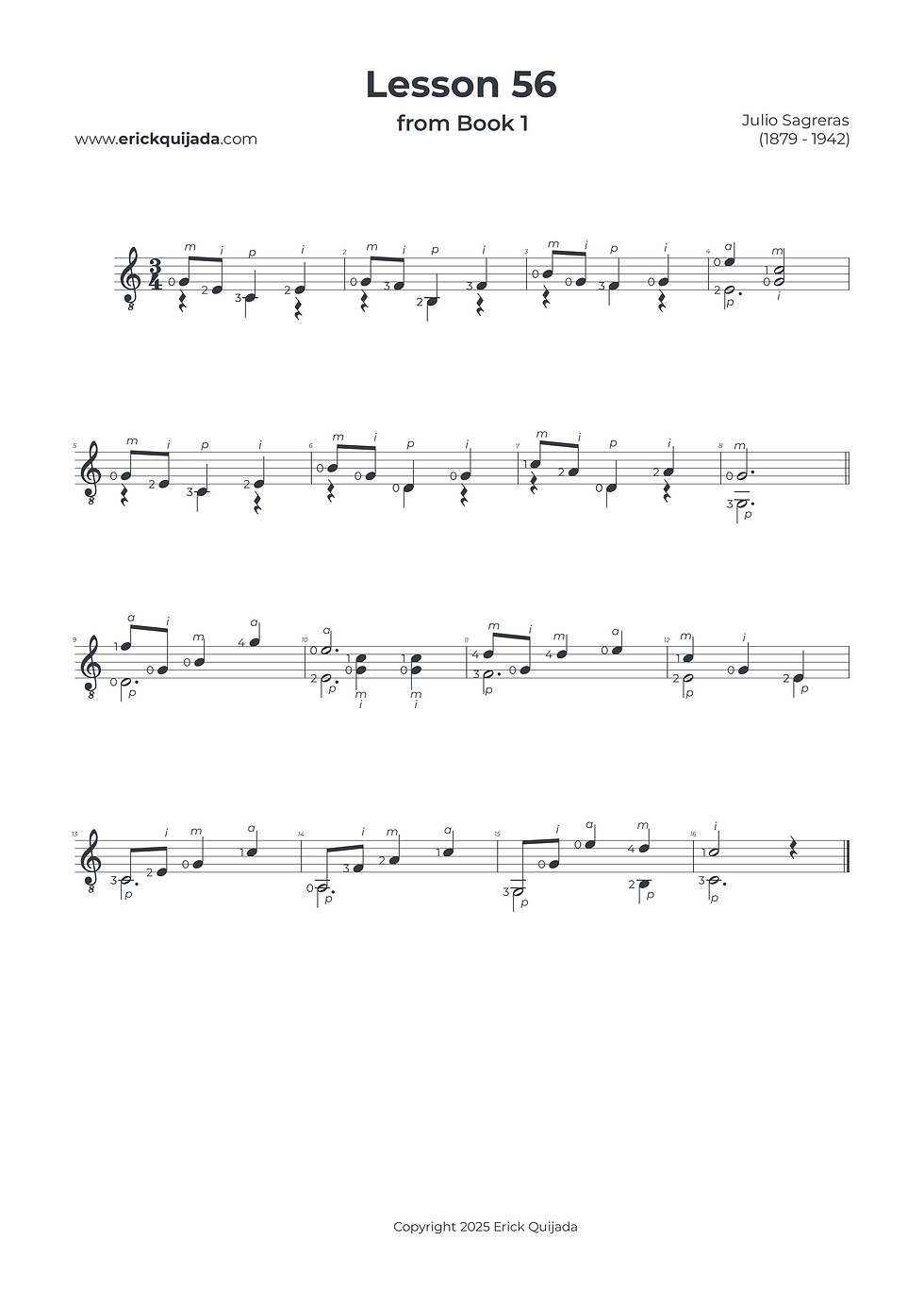
Lesson 56 | Voice Interaction & Vertical Shifting
Advance beyond repetitive patterns into a dynamic two- and three-part texture, where the melody travels between the thumb and fingers in a sophisticated musical dialogue.


Studio Insights
The Vertical Shift Protocol
This lesson introduces significant vertical movement for the right hand, shifting between string groups (5-4-3-2 to 4-3-2-1). To maintain a professional, nuanced tone, you must move the entire set of fingers as a single unit. Be hyper-aware of these "transition beats"—marking them in your score will help you engineer a seamless shift without disrupting the musical flow.
Sub-Position Flow
While most measures feature a single chord position, the complexity of the shifts requires a strategic blueprint. Look for opportunities to break large shapes into smaller sub-positions. By landing the most urgent fingers first and allowing the others to follow, you foster an even, uninterrupted flow that makes these "real music" textures sing.
The Hybrid Melody Habit
For the first time, the primary melody is shared between the thumb (p) and the fingers (ima). This requires a high level of dynamic symmetry. Keep your fingertips curved and strictly close to the strings; this proximity is the foundation that allows you to pass the melodic "torch" between your thumb and fingers with absolute precision.
The Play along
I've found that at the begining of the learning journey it can be very helpful to have a recording to follow along. Remember that you can easily change YouTube video playback speed on any device by clicking the settings gear icon, selecting Playback speed, and choosing a different speed from the menu, or even setting a custom speed.